AI Assistant
Role: Senior Product Designer Led end-to-end design for the conversational AI experience, including interaction design, UI, and system states in collaboration with product and engineering. An AI-powered assistant designed to help sales teams navigate conversations, generate follow-ups, and act faster with contextual insights directly inside a CRM platform.
Client
Enterprise SaaS CRM
Industry
SaaS / CRM / Senior Living
Service
Product Design
UI/UX
AI Interaction Design
Duration
6 Weeks
The problem
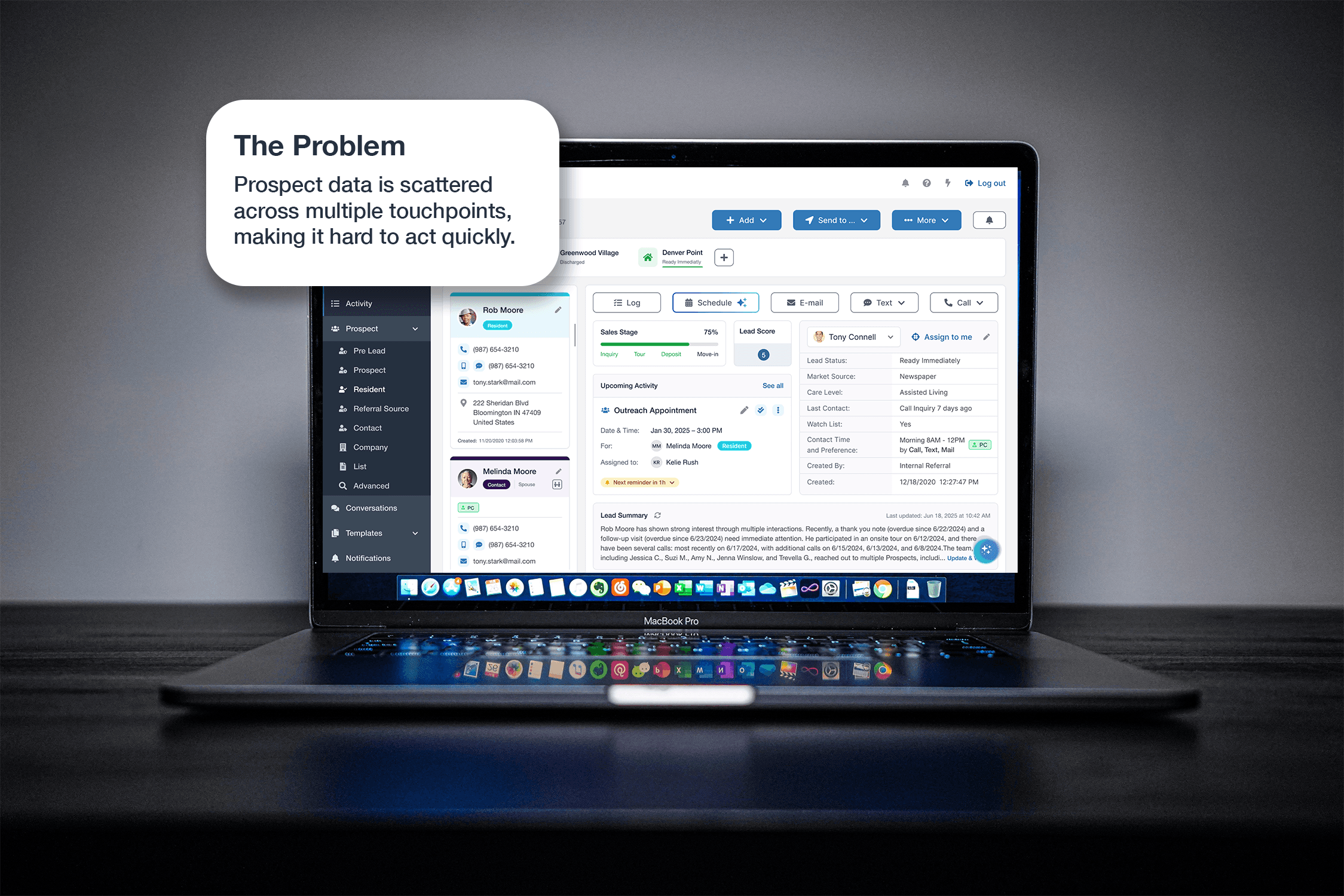
Sales counselors had to juggle huge amounts of prospect information while also keeping their communication timely and personal. Important details were buried in notes, activities, and timelines, making it tough to get a clear picture of each prospect or figure out the next best step. Writing follow-ups and getting ready for calls took a lot of manual work, which slowed things down and led to inconsistent experiences for prospects.
The Challenge
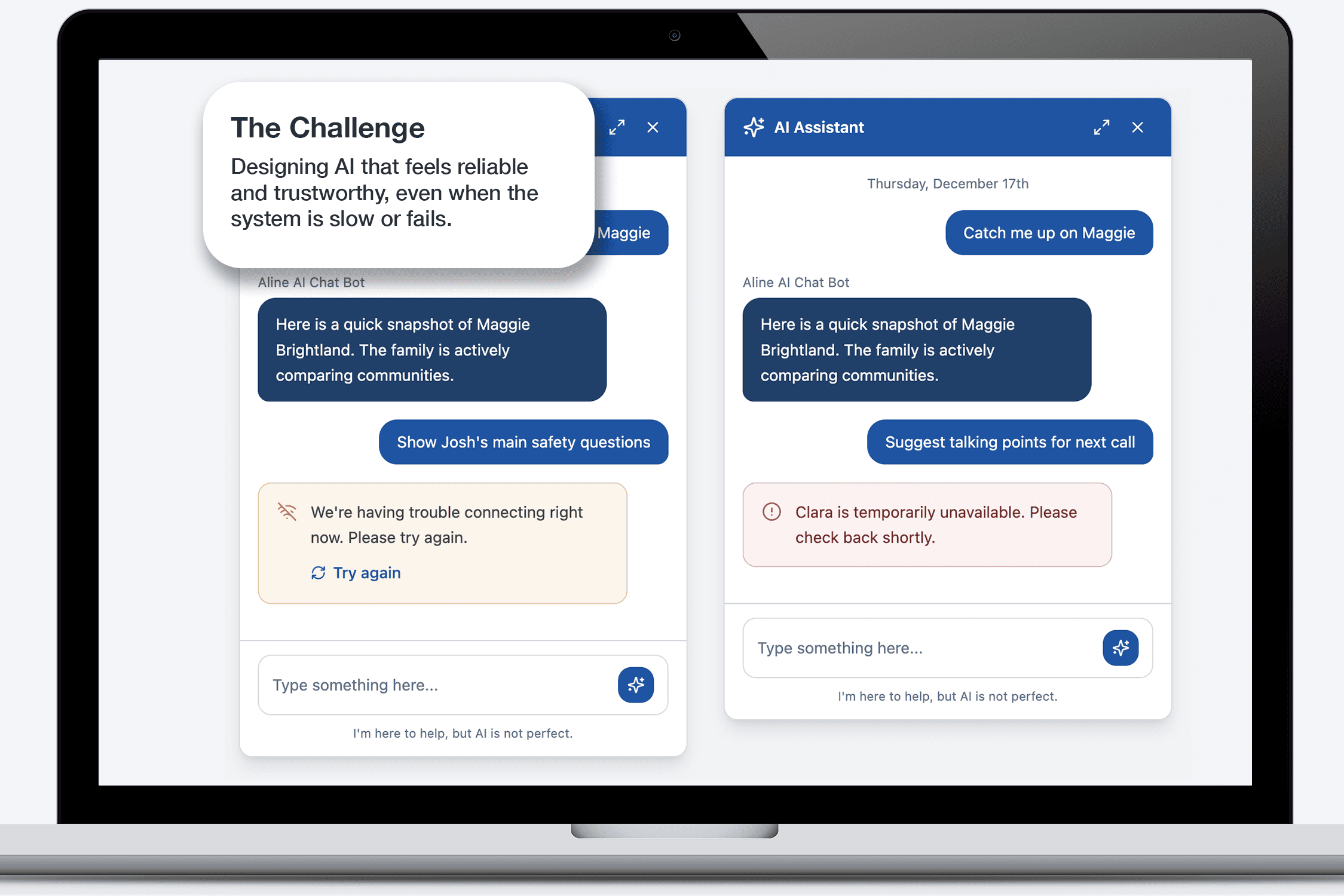
We wanted to bring AI into the CRM in a way that felt genuinely helpful, trustworthy, and easy to use, without getting in the way of how people already worked. That meant creating a chat-based experience that could pull up useful insights, help draft content, and suggest next steps. It also had to handle real-life hiccups like slow responses, dropped connections, or users getting interrupted. And, no matter the situation or screen, the experience had to stay simple and intuitive for everyone.
The Solution
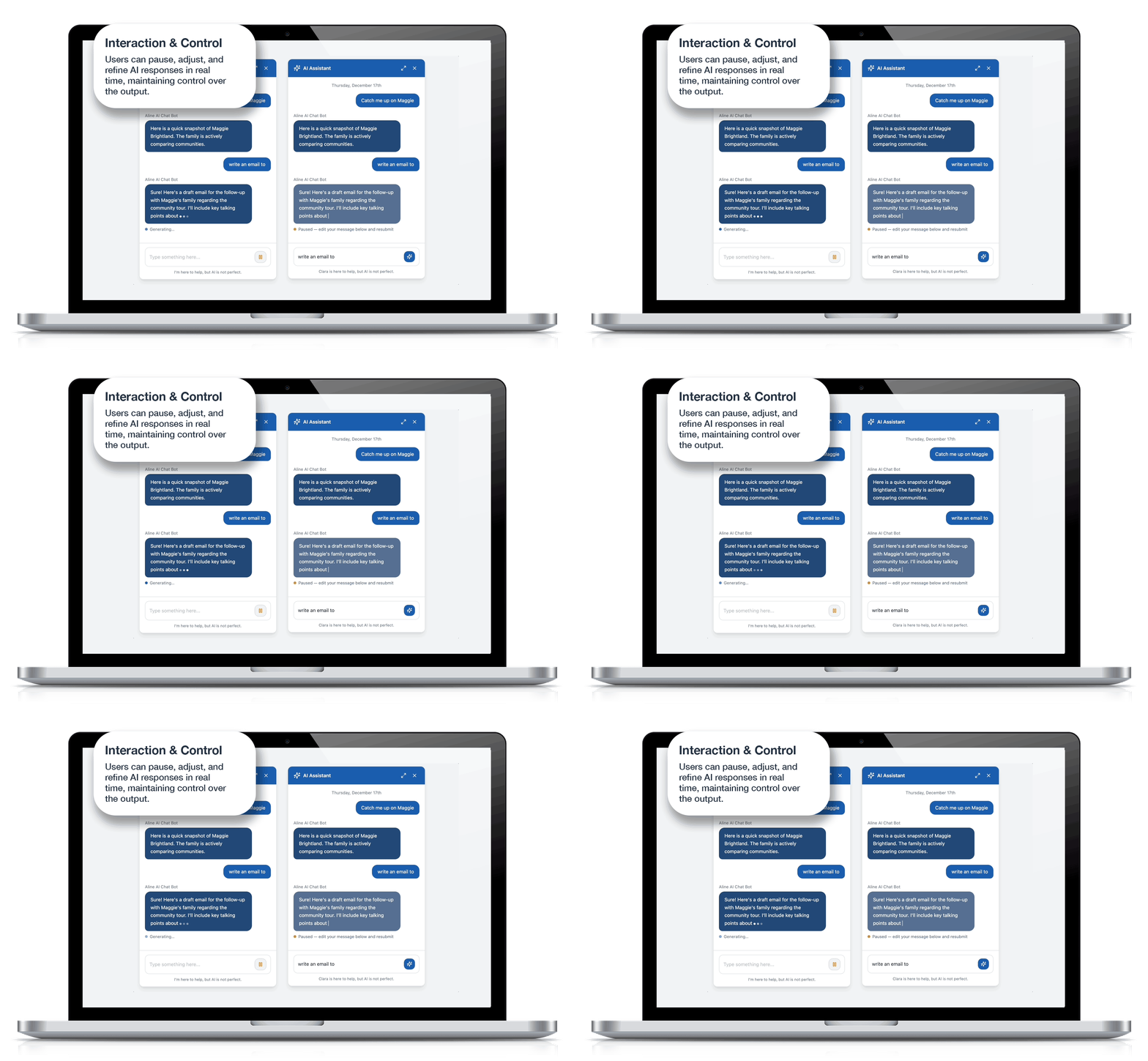
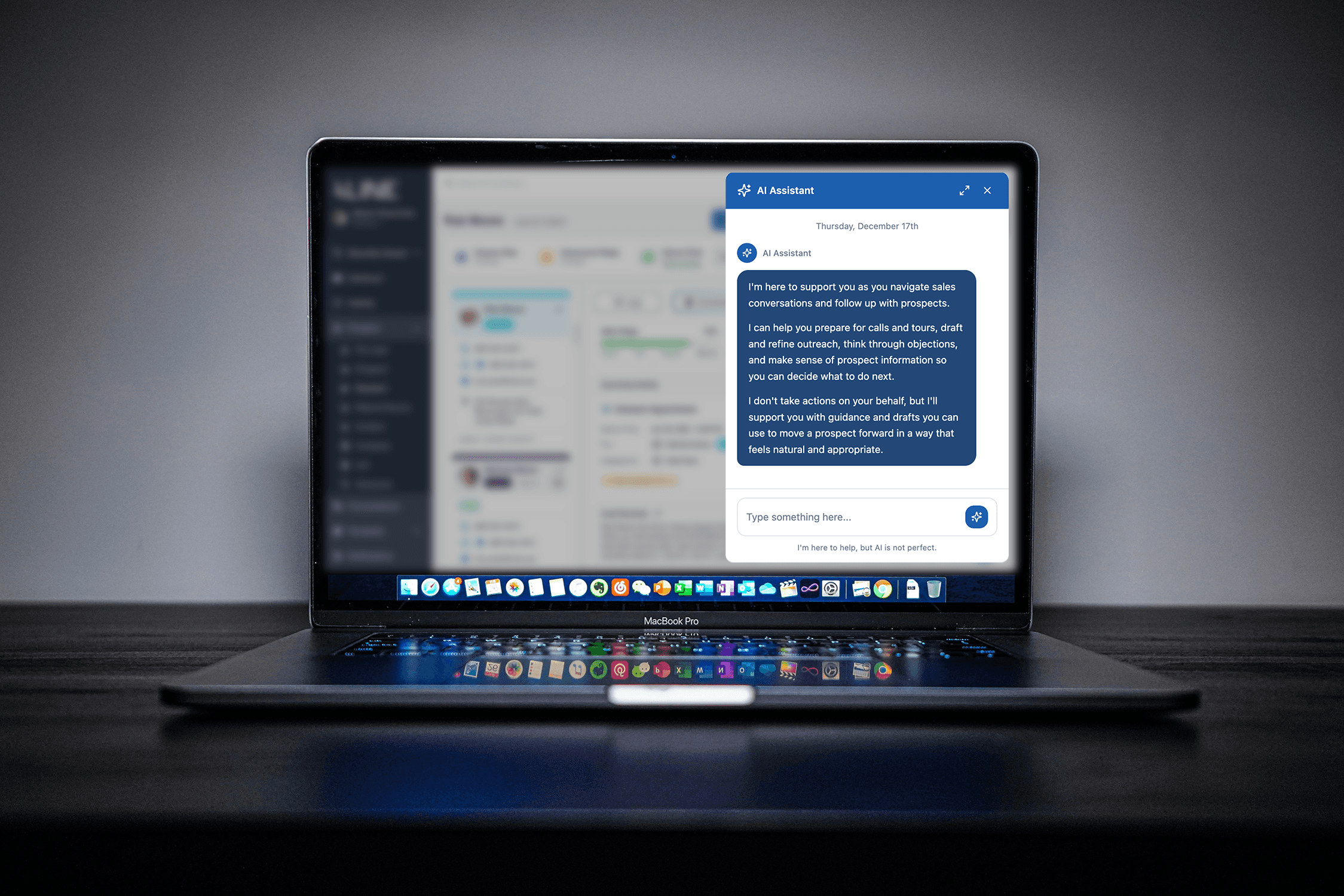
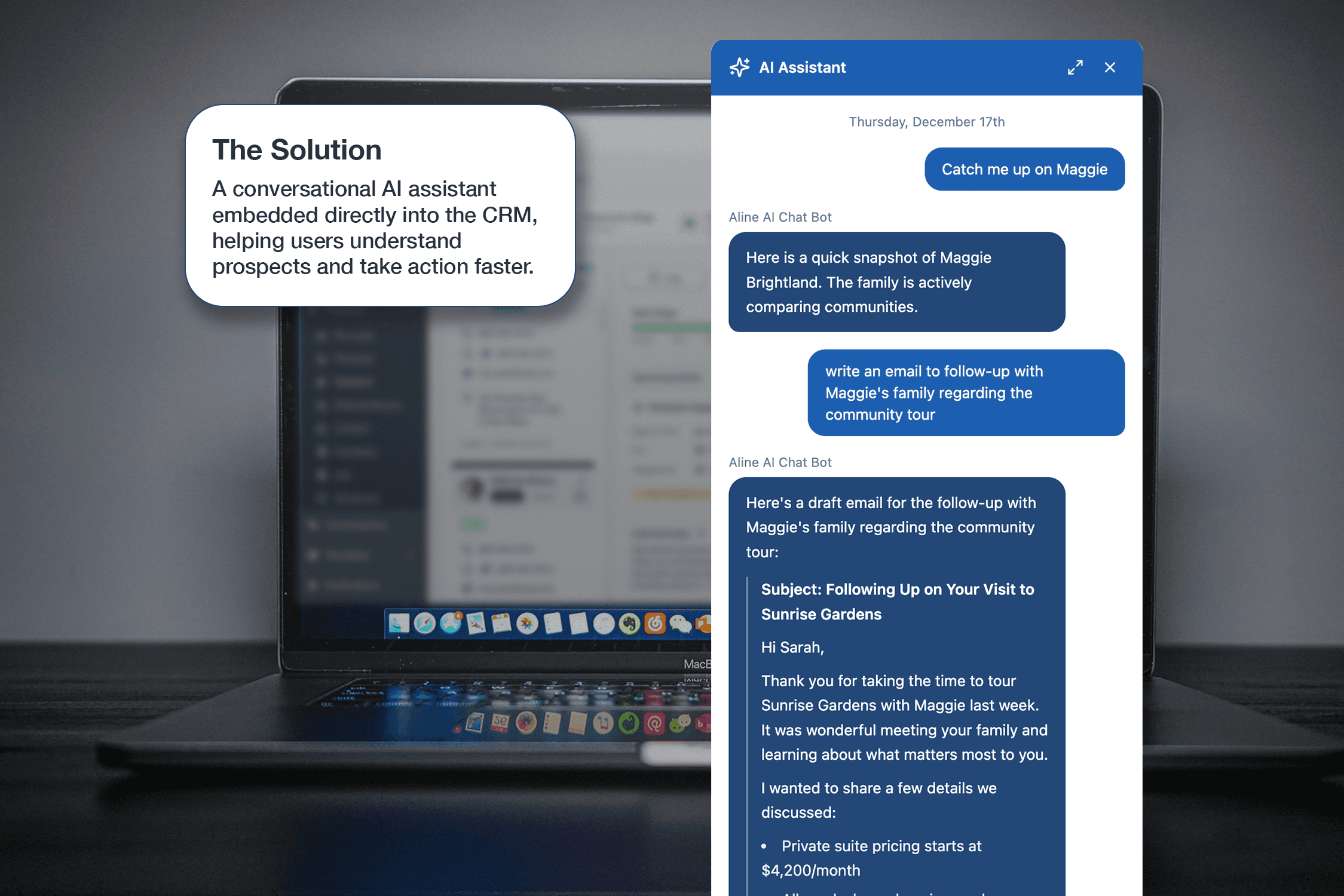
I designed a conversational AI assistant that lives right inside the CRM, so users can chat with it and work with prospect data without ever leaving their flow. The first thing users see is a simple onboarding message that lays out, in plain language, what the assistant can and can't help with-setting clear expectations from the start. The interface lets users either type in whatever they need or pick from quick prompts, making it easy to prep for calls or follow-ups on the fly. The AI's responses are practical and ready to use-summaries, key takeaways, and even follow-up emails that can be copied and sent right away. To make sure the experience works in the real world, I designed the system to handle things like loading, slow replies, and occasional errors-all right inside the chat. These updates show up smoothly in the conversation, so users always know what's going on without having their workflow interrupted. I also added features like streaming responses, so users can pause the AI, tweak their request, and try again if they want. This gives people more control and makes it easier to get the results they need without any hassle. For desktop users, there's an expandable chat window that makes it easy to have longer, more in-depth conversations-without losing sight of the rest of the CRM. Whether in the standard view or expanded, the experience always feels familiar and reliable. Finally, I built feedback tools right into the chat, so users can rate responses and share extra thoughts if something misses the mark. This way, the assistant keeps getting better based on real feedback.
The Result
The assistant reduced the time care team members spent preparing for prospect conversations and generating follow-ups, work that Aline's own 2026 benchmark data identifies as a primary friction point in senior living sales. By designing clear system states, actionable AI outputs, and user controls like streaming and feedback, the experience gave counselors a more transparent and reliable way to work with AI inside the CRM. The design was validated through iterative testing with the product team and shipped as part of a platform serving thousands of senior care communities across the US.